Your files, your folders
Notes stay ordinary Markdown files in a folder you choose. Open them with anything, back them up like anything, and leave whenever you like.

 Jotzen
 is a desktop app for Markdown notes that stay on your computer. It gathers the todos, tags and links scattered across your notes and folders into one calm place, and gives the AI assistant you choose a safe way to work with them.
Jotzen was called Waystone until November 4, 2026.
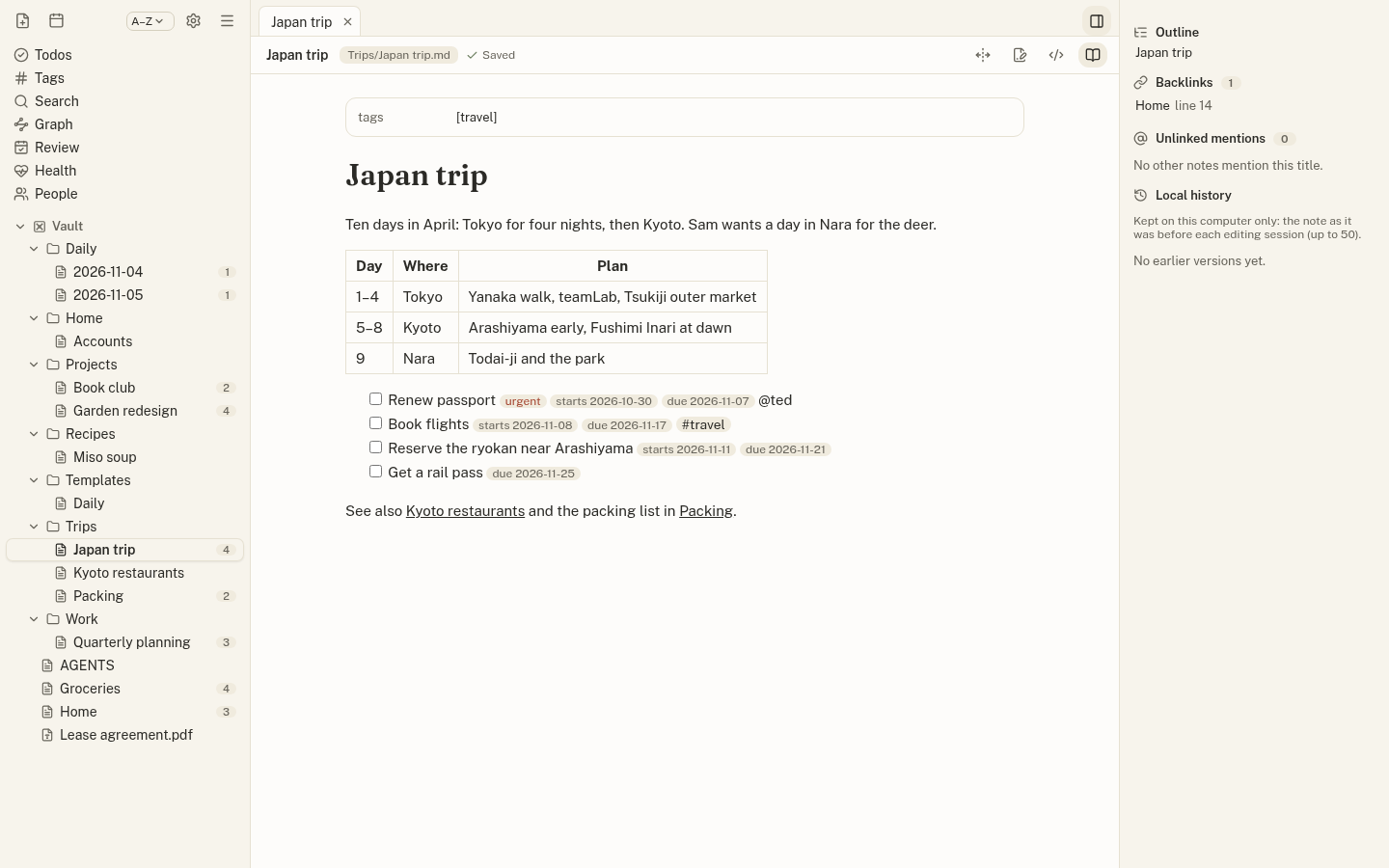
Notes stay ordinary Markdown files in a folder you choose. Open them with anything, back them up like anything, and leave whenever you like.
Your own assistant can search and read your notes and todos through a local MCP server, and AI agents can work right in your files.
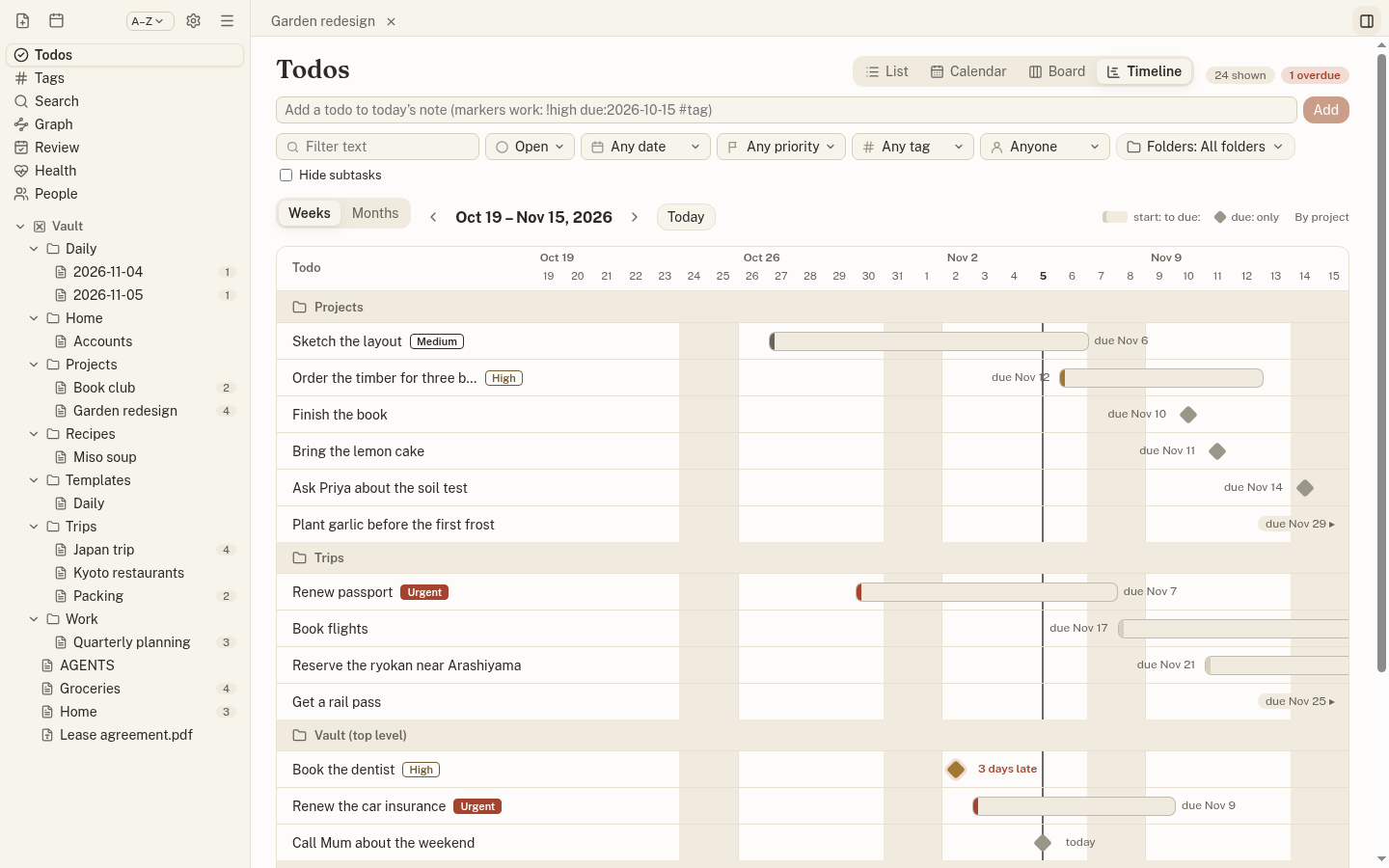
Write - [ ] in any note. Jotzen gathers todos from every folder into a list, calendar, board and timeline, and edits only that line.
No analytics, no ads, and no AI of its own: you choose the assistant and what it sees. Optional sync is end-to-end encrypted.
Built for AI
Assistants forget between conversations; your notes don’t. Connect Claude, Codex or any assistant that speaks MCP, and it can search your notes, read them, and see what’s due, from files you own.
Example
> Summarize my garden project and
  tell me what's still open.

  • jotzen · search_notes("garden")
  • jotzen · read_note("Projects/Garden redesign.md")
  • jotzen · list_todos(folder: "Projects")

  Raised beds on the south fence, a brick
  path and a herb spiral. Open: order the
  timber (high, due Oct 22), ask Priya
  about the soil test, plant garlic.
Todos
Write todos where they belong: in a trip plan, a project note, a daily page. Add a priority, a start and due date, a person or a tag right in the line, and Jotzen brings them together.
Find
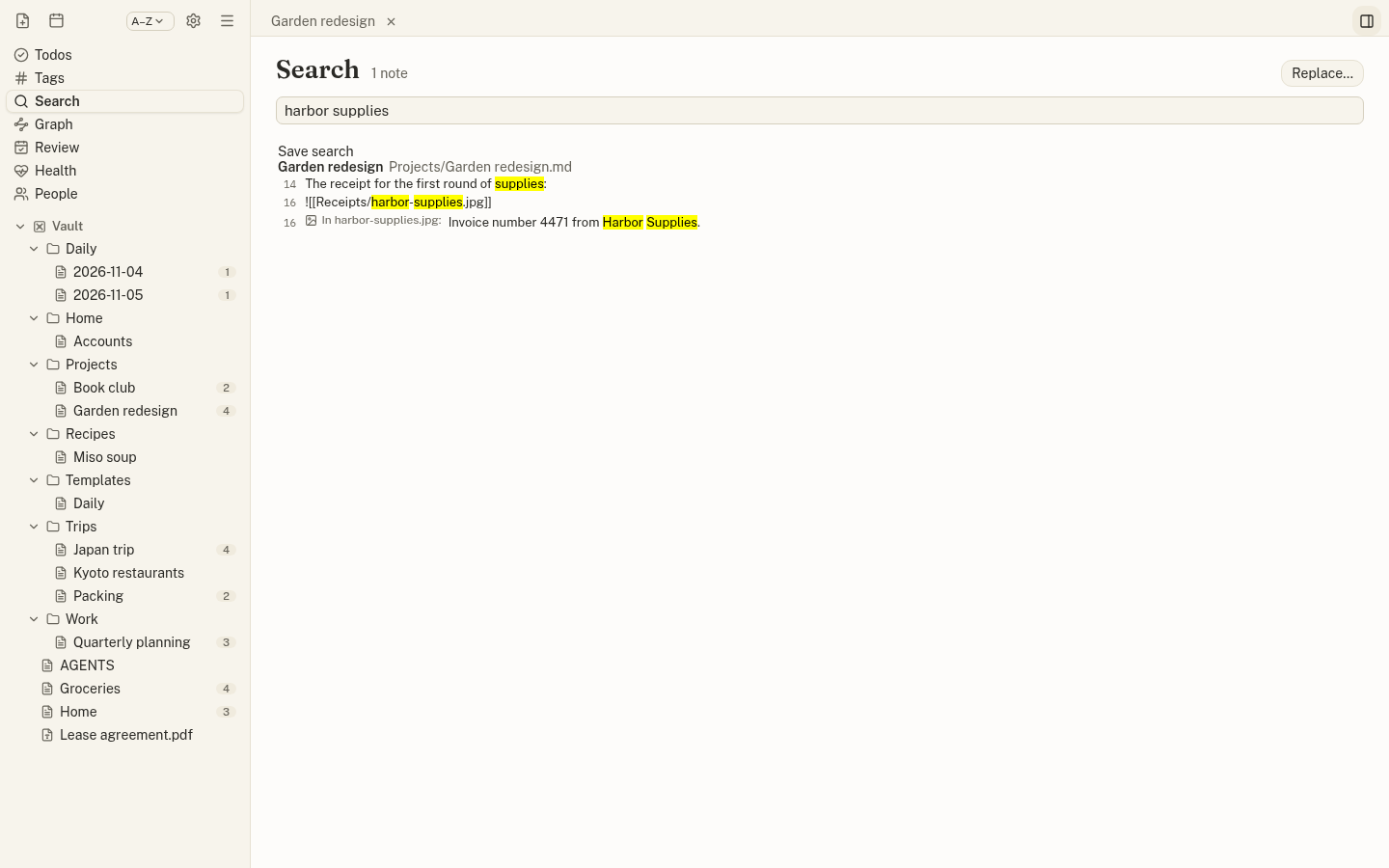
Search every note, the text inside your PDFs, and even the words in photos and screenshots your notes show. Recognition happens on your computer; nothing is uploaded.
Organize
Click a folder to see its notes with a preview of each, its tags and open todos. Tables, math, diagrams, callouts and embeds are drawn as you write, and Obsidian’s conventions just work.
Organizing notes →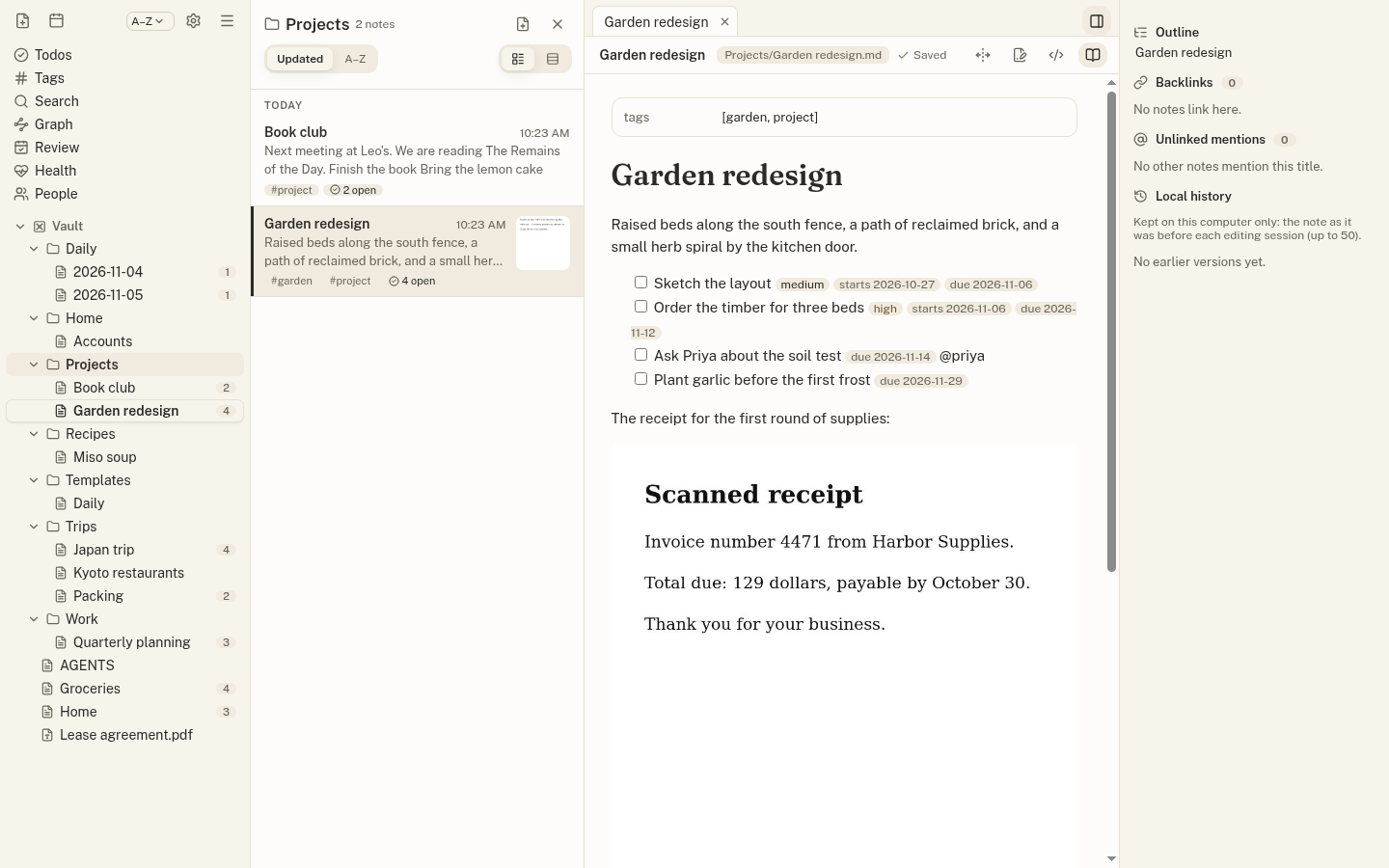
Your vault is a folder of Markdown. Sync between devices is optional, and when it is on, notes are encrypted on your device before they leave it: the service stores only text it cannot read.
There is no public download yet. The documentation describes what the app does today.